RebootMonitor – Android Reboot & Uptime Tracker
Know exactly when your Android device was last restarted.
A free Android app for personal phones and for shared devices managed with Intune or another MDM. No ads, no account.
How RebootMonitor works
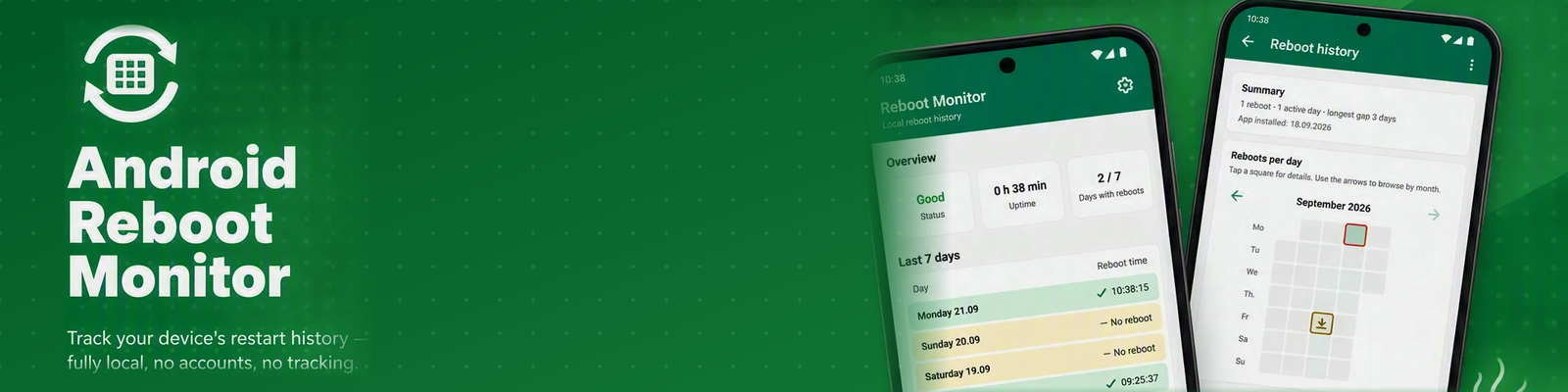
RebootMonitor is an Android reboot tracker that automatically records device restarts, monitors uptime and keeps a detailed reboot history. See your latest reboot, current uptime, reboot statistics and restart patterns in one simple dashboard.
All data remains stored locally on the device. No reboot information, usage data or personal information is transmitted to external servers.

For your own phone
See when your phone was last restarted, keep a private history and get an optional reminder. Free, no account, and everything stays on your device.
For IT teams and MDM
Shared and kiosk devices often have no owner, so nobody restarts them. RebootMonitor shows each device's uptime and reminds the person holding it. It is distributed as a Managed Google Play app, so any Android Enterprise MDM can deploy it. Our guides use Microsoft Intune as the example.
Automatic Detection
Automatically detects device reboots and validates uptime.
Dashboard
Current uptime, latest reboot and reboot statistics.
History & Heatmap
Interactive heatmap and historical views of reboot activity.
Reminders
Optional, configurable reminder when a reboot is overdue.
100% Ad-Free
Completely free from advertisements, pop-ups and intrusive tracking.
Why restart, and how the reminder works
Restarting an Android device can help resolve temporary software issues, clear background processes and complete certain system updates. For devices that stay powered on for long periods, such as shared or kiosk devices, an occasional restart can help keep performance stable.
An optional reminder nudges you when a restart is overdue — 7 days is recommended and selected by default, with 3 or 14 days and off also available. Your restart history stays on your device for up to 12 months.
Didn't get a reminder? Check your battery settings
Most phones deliver the reminder fine on their default battery settings. If one ever doesn't show up as expected, some phones restrict background apps more than others — RebootMonitor includes a one-tap shortcut, right in its settings, straight to your device's battery optimization screen to check or adjust it. See our step-by-step fix guide for exactly what to tap, or watch the 1-minute video for Samsung or Pixel and other phones.
See RebootMonitor in under a minute
A quick tour: how RebootMonitor tracks every restart, shows your full history, reminds you when a restart is overdue and puts your status on the homescreen.
Watch on YouTubeScreenshots


The details
More features
- Homescreen widget for at-a-glance status (watch how to add it and fit it to your screen)
- Color-coded overview that shows at a glance how recently the device was restarted
- Monthly overview of all restarts
- Reboot history is kept for 12 months, older data is cleaned up automatically
- Each restart is counted only once, so there are no duplicate entries
- All data is stored securely on your device
Privacy & ad-free
No cloud storage. No analytics. No account required. All reboot data stays on your device.
Completely ad-free · No tracking · No subscriptions · No data collection
Read the full privacy policy.
Languages
Available in 10 languages: English, Norwegian, Dutch, German, French, Spanish, Polish, Simplified Chinese, Hindi and Arabic. English is used as fallback.
Permissions
- RECEIVE_BOOT_COMPLETED – to detect when the device has restarted.
- POST_NOTIFICATIONS – to show optional reboot reminders.
Frequently asked questions
How can I see when my Android phone was last restarted?
Open RebootMonitor: the dashboard shows the time of the last restart and how long the device has been running. Every restart is recorded automatically, so you also get a full history and a monthly heatmap. Other ways are described in our guide on how to check your last Android reboot.
What is Android uptime?
Android uptime is how long a device has been running since its last restart. RebootMonitor shows it on the dashboard together with the date and time of the latest reboot.
Does Android keep a reboot history?
Not in a form most people can use. Android has no built-in screen listing earlier restarts, which is why RebootMonitor records every restart automatically and keeps up to 12 months of history. Read more in the article about Android reboot history.
How often should I restart my Android phone?
Many people restart about once a week. A restart can help clear background processes and temporary software problems, and lets some system updates finish installing. The RebootMonitor reminder defaults to 7 days, and you can choose 3 or 14 days or turn it off.
Does RebootMonitor collect my data?
No. There is no account, no analytics and no ads. The reboot history stays on your device, is kept for 12 months and is then cleaned up automatically. Nothing is sent to a server.
Does RebootMonitor work without an internet connection?
Yes. RebootMonitor works completely offline. It does not need an internet connection to record restarts or to show your uptime and history.
Is RebootMonitor free?
Yes. RebootMonitor is free, with no ads, no subscriptions and no account. If you like it, you can support development with an optional coffee donation.
Why did my reboot reminder arrive late or not at all?
Some phones restrict background apps more than others. Check the battery setting for RebootMonitor and set it to unrestricted. The step-by-step fix guide shows exactly what to tap on Samsung, Pixel and other phones.
Does RebootMonitor work on shared or Intune-managed devices?
Yes. It is built for shared Android devices and MDM environments such as Microsoft Intune, where it shows users when a device was last restarted. The Intune guide explains how to deploy it.
Explore RebootMonitor
More apps from Nordic Appworks
UpdateMonitor — keeps a history of every app update, install and removal on your Android phone, shows which apps can use your camera, microphone or location, and warns you about new permissions and apps from outside the Play Store. Like RebootMonitor: free, offline and without ads.
☕ Support RebootMonitor
RebootMonitor is 100% free, ad-free and contains no subscriptions. If you find the app useful, your support helps fund future improvements, new features and ongoing maintenance.
Contact Us
Have a question or need support? Send us a message below and we will get back to you as soon as possible.